
Jia Dashboard LogoJia Name Logo
Help
Center
Contact Support
Jia Dashboard LogoJia Name Logo
Powered by White Cloak Technologies, Inc.20th Floor, F. Ortigas Jr Strata 2000 Building
San Antonio, Ortigas Center, Pasig, 1605 Metro Manila
LinkedInFacebookTikTok
Sales Team: inquire@hellojia.ai
Development Team: hello@whitecloak.com
© Copyright 2026. All rights reserved.
HomeChevron RightDocumentationCareersChevron RightCreate a linked career
Getting started
  • Customize your Dashboard
Careers
  • Create your first career
  • Create a linked career
  • Update career status
  • Customize career settings
Application Timeline
  • Endorse a candidate
  • Drop a candidate
  • Reconsider a candidate
Candidates
  • Import a candidate
  • Quick Search
  • AI Search
  • Advanced Filters
  • View a candidate profile
  • Add a comment
  • Invite to a job
Organization
  • Invite new members
  • Roles
Job Portal
  • Apply to a job
  • AI Interview
  • Manage CV
Subscription, Billing, and Support
  • Subscription Plans
Projects
  • Create a project
  • Link a career
Requisition
  • Create a requisition
  • Requisition Approval
Talent Vault
  • Set-up Talent Vault
Email
  • Inbox
  • Templates
  • Automations
  • Reminders
  • Bulk Email
  • Integration
  • Custom Domain
Miscellaneous
  • Notifications
  • Feedback
Create a linked careerLast updated: 01 Apr 2026
Careers

A linked job post that separates the early and the later stages into separate job posts. This allows you to pool candidates for a broad requirement into a parent post, and then distribute them to child posts for a more specific requirement.

Creating a Linked Career (Parent Post)

The Parent Post serves as the "top of the funnel." Use this to manage initial screening and high-volume candidate intake.

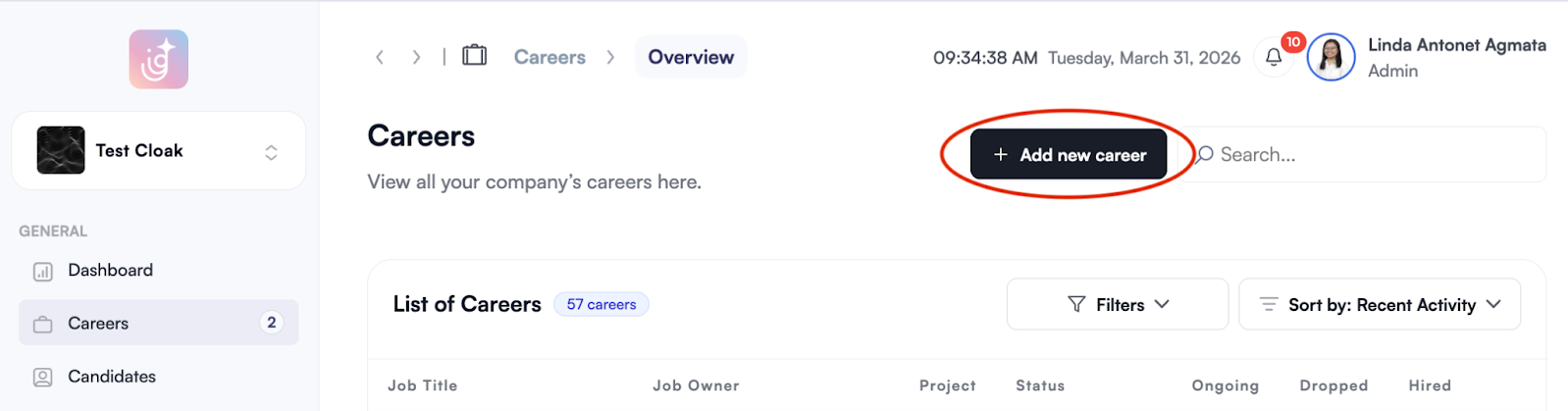
  • Navigate to the Careers module and select Add New Career. linked-career-01.png
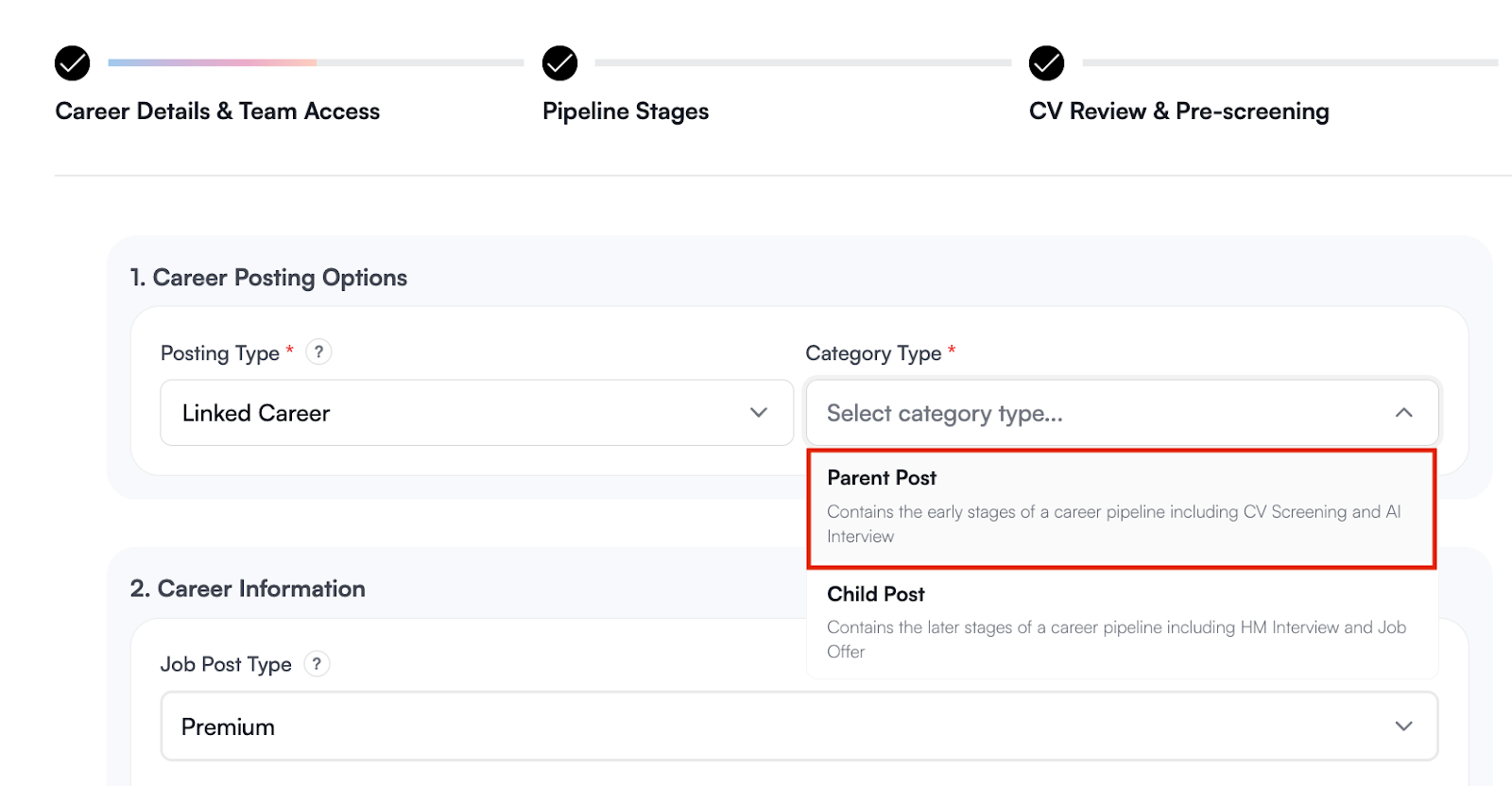
  • Select Linked Career as the posting type.

  • Click Parent Post to create a career that contains the early stages of the hiring pipeline. linked-career-02.png
  • Enter the job details and requirements.

  • Save and Publish the post to begin pooling candidates.

Note

For guidance on configuring CV Review, Pre-Screening, or AI Interviews, refer to this guide for setting up a career.

Creating a Linked Career (Child Post)

The Child Post is used for the "final mile" of hiring. It inherits screened candidates from the Parent Post for client-specific interviews and offers.

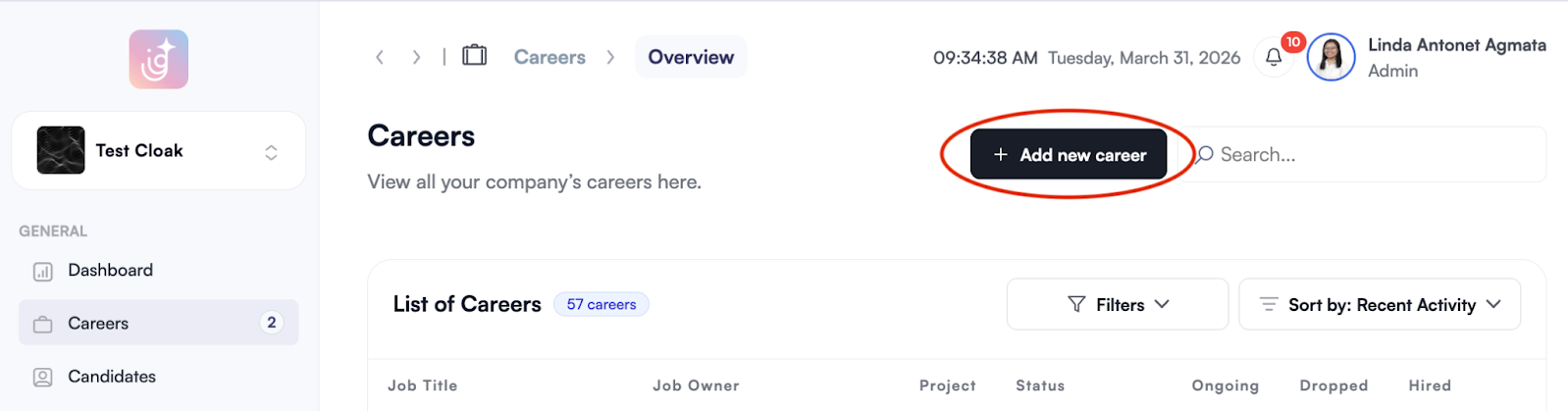
  • Navigate to the Careers module and select Add New Career. linked-career-03.png
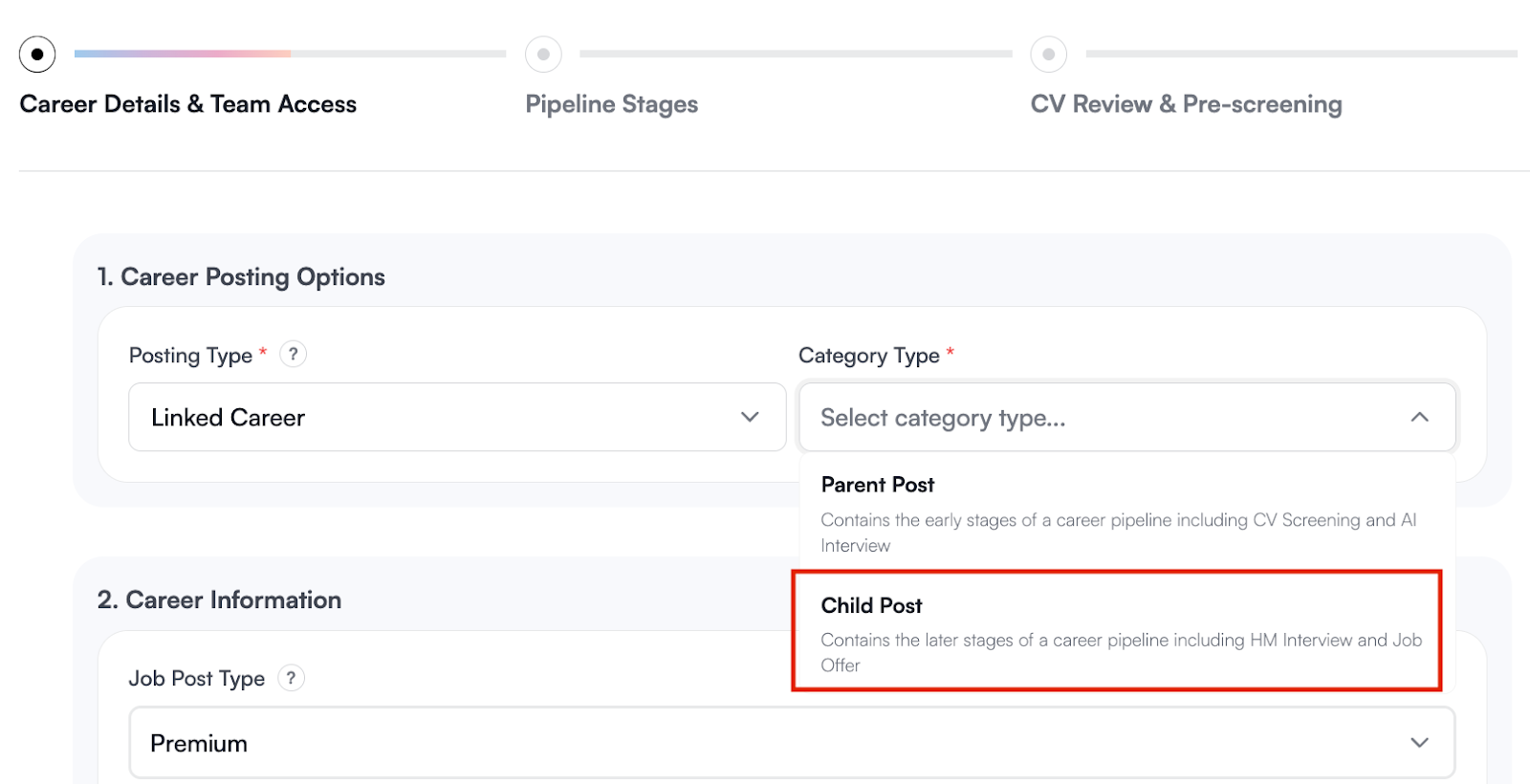
  • Choose** Linked Career** for posting type and click Child Post. linked-career-04.png
  • Connect the Child Post to an existing Parent Post. By linking them, candidates sourced through the broad Parent Post are to be distributed to the relevant Child Posts. linked-career-05.png
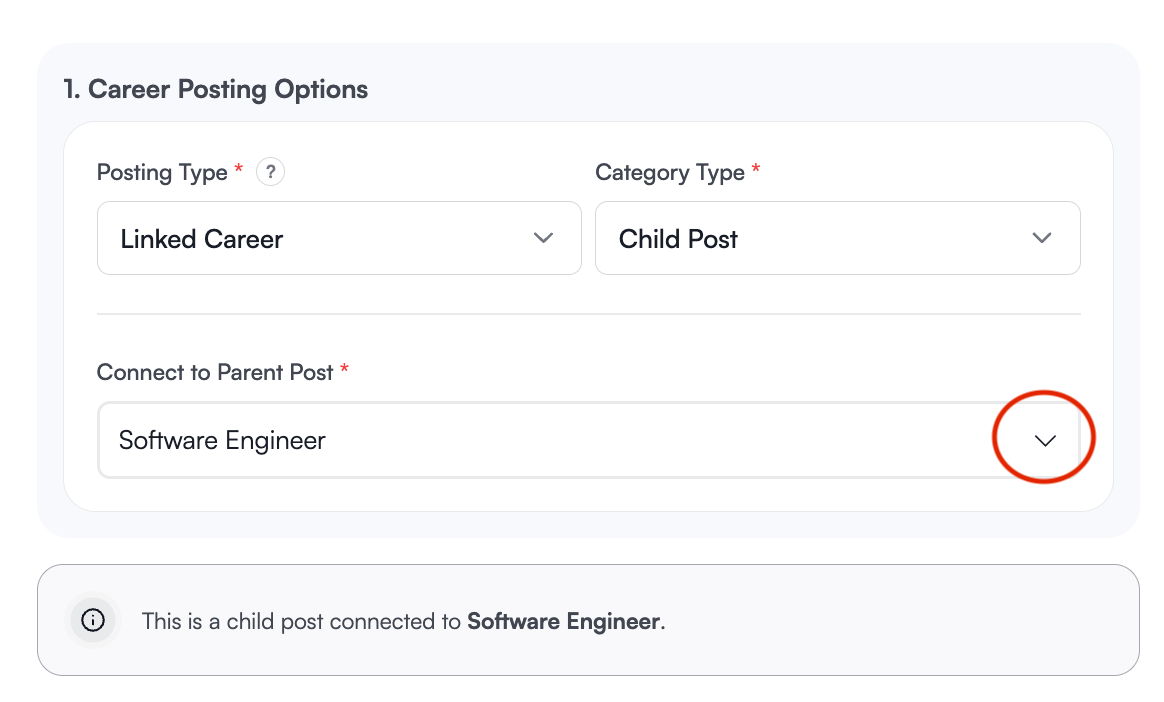
  • Complete the required job information and click Continue.

  • Pipeline Configuration: In a Child Post, the initial screening stages are disabled by default, as candidates arriving here have already passed the Parent Post’s screening. linked-career-06.png
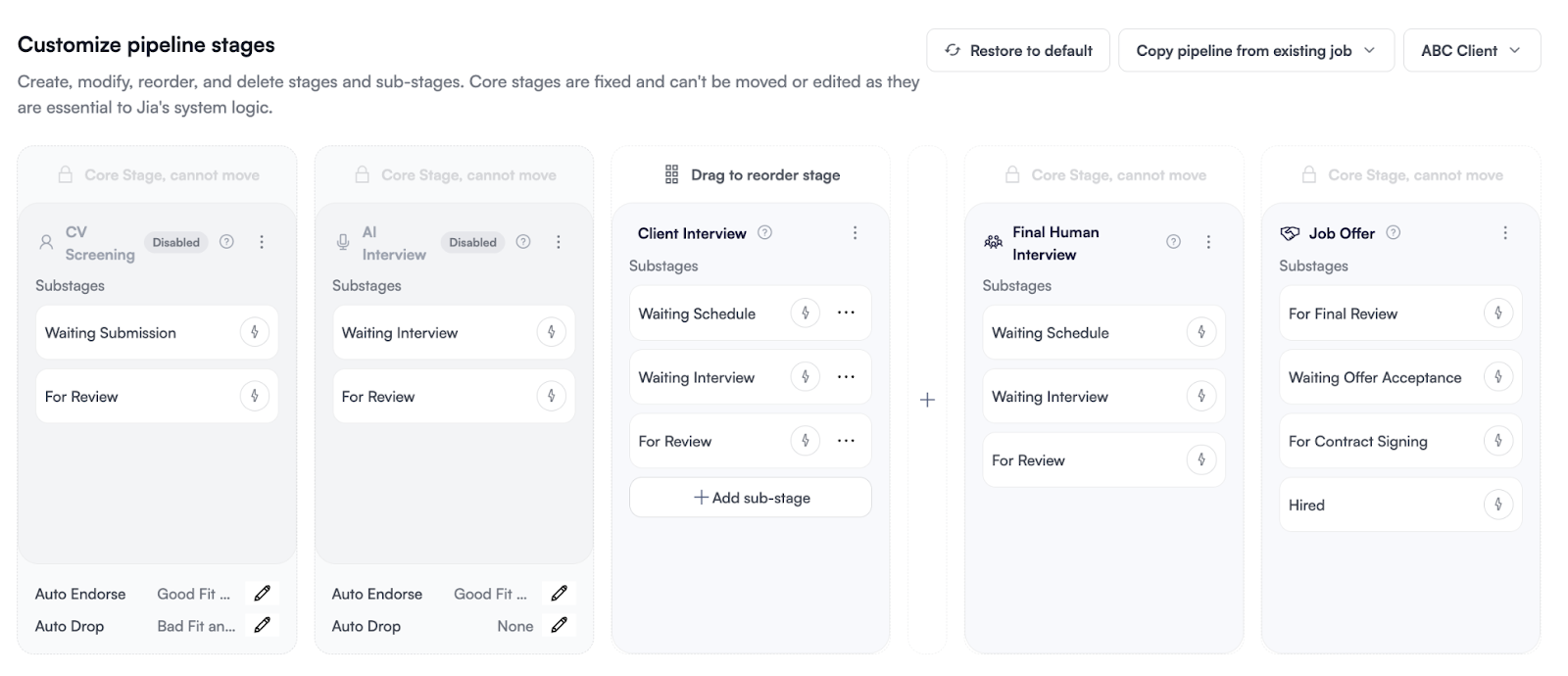
  • Once finalized, click Exit and Save as Draft.

Note
  • Visibility: Child Posts are not published on the public job portal. They are internal tools for managing specific placements.
  • Post Limits: Because they are not public, Child Posts do not count toward your account’s active job post limit.
Was this article helpful?
Loading feedback…