Jia Dashboard LogoJia Name Logo
Help
Center
Contact Support
Jia Dashboard LogoJia Name Logo
Powered by White Cloak Technologies, Inc.20th Floor, F. Ortigas Jr Strata 2000 Building
San Antonio, Ortigas Center, Pasig, 1605 Metro Manila
LinkedInFacebookTikTok
Sales Team: inquire@hellojia.ai
Development Team: hello@whitecloak.com
© Copyright 2026. All rights reserved.
HomeChevron RightDocumentationTalent VaultChevron RightSet-up Talent Vault
Getting started
  • Customize your Dashboard
Careers
  • Create your first career
  • Create a linked career
  • Update career status
  • Customize career settings
Application Timeline
  • Endorse a candidate
  • Drop a candidate
  • Reconsider a candidate
Candidates
  • Import a candidate
  • Quick Search
  • AI Search
  • Advanced Filters
  • View a candidate profile
  • Add a comment
  • Invite to a job
Organization
  • Invite new members
  • Roles
Job Portal
  • Apply to a job
  • AI Interview
  • Manage CV
Subscription, Billing, and Support
  • Subscription Plans
Projects
  • Create a project
  • Link a career
Requisition
  • Create a requisition
  • Requisition Approval
Talent Vault
  • Set-up Talent Vault
Email
  • Inbox
  • Templates
  • Automations
  • Reminders
  • Bulk Email
  • Integration
  • Custom Domain
Miscellaneous
  • Notifications
  • Feedback
Set-up Talent VaultLast updated: 04 Apr 2026
Talent Vault

The Talent Vault is your personalized career profile where Jia matches your skills, goals, and preferences with the perfect job opportunities. By joining the Vault, you increase your visibility to top employers while maintaining full control over your data.
Join the Vault

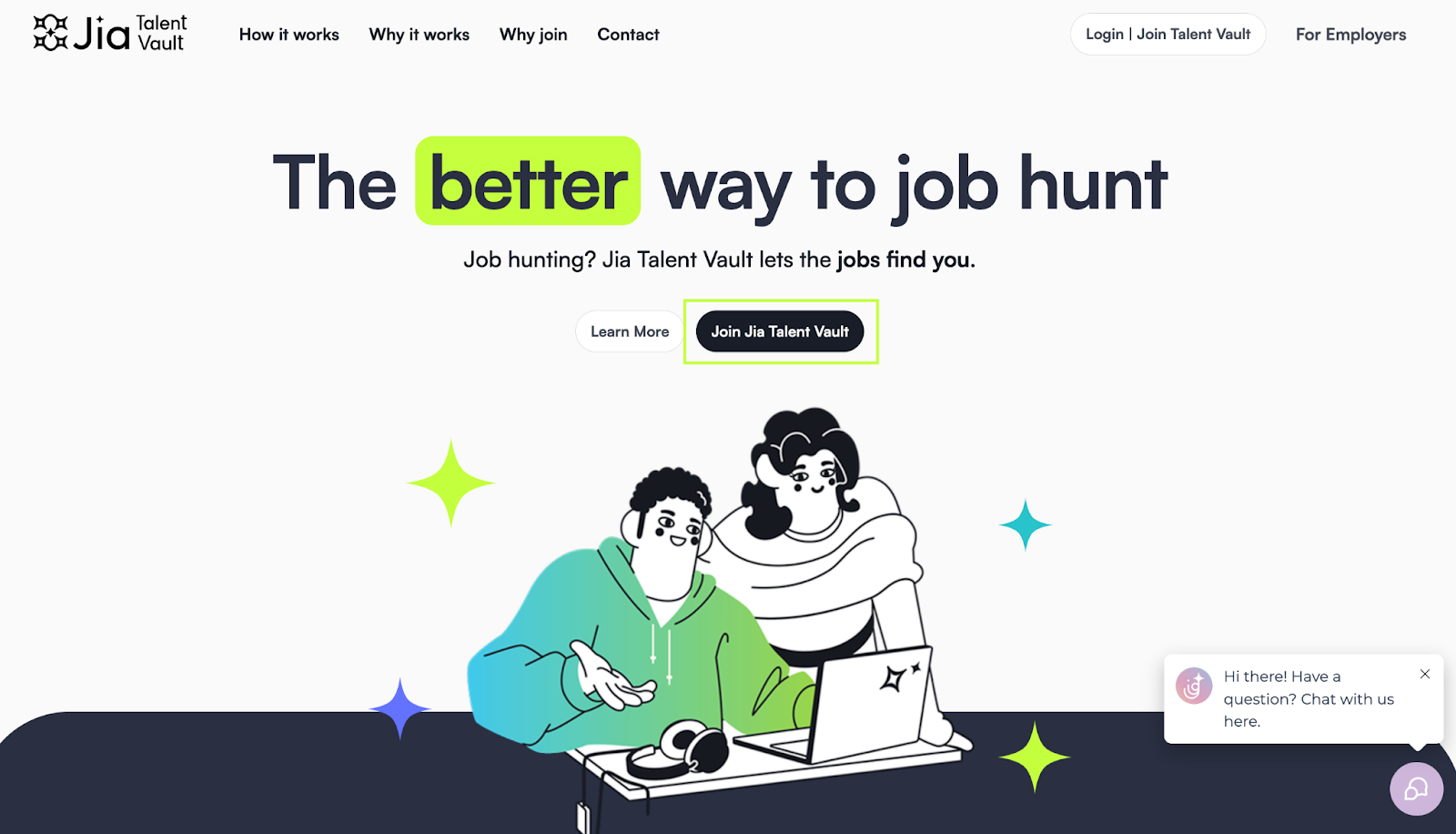
  • Visit the Talent Vault landing page and click Join the Jia Talent Vault. talent-vault-01.png
  • Sign in quickly using your Google account for instant access to the Jia Job Portal.
  • Select the Talent Vault module from the sidebar.

Build Your Profile

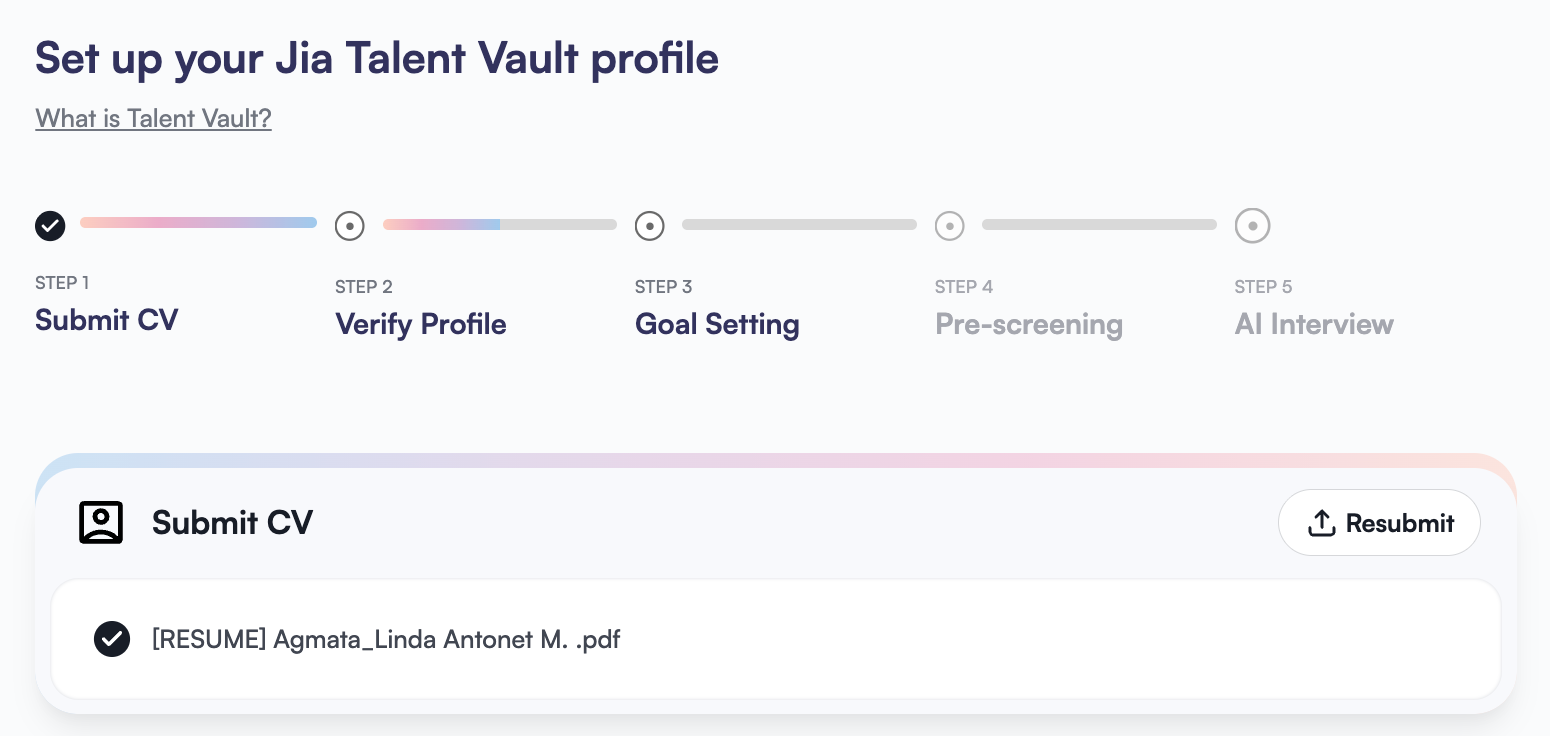
  • Upload your latest CV/resume; Jia will automatically parse your information.
  • Review and edit your profile information to ensure accuracy.
  • Click Continue at the bottom of the page to proceed. talent-vault-02.png

Define Your Career Goals

Once your profile is verified, tell Jia what you are looking for next:
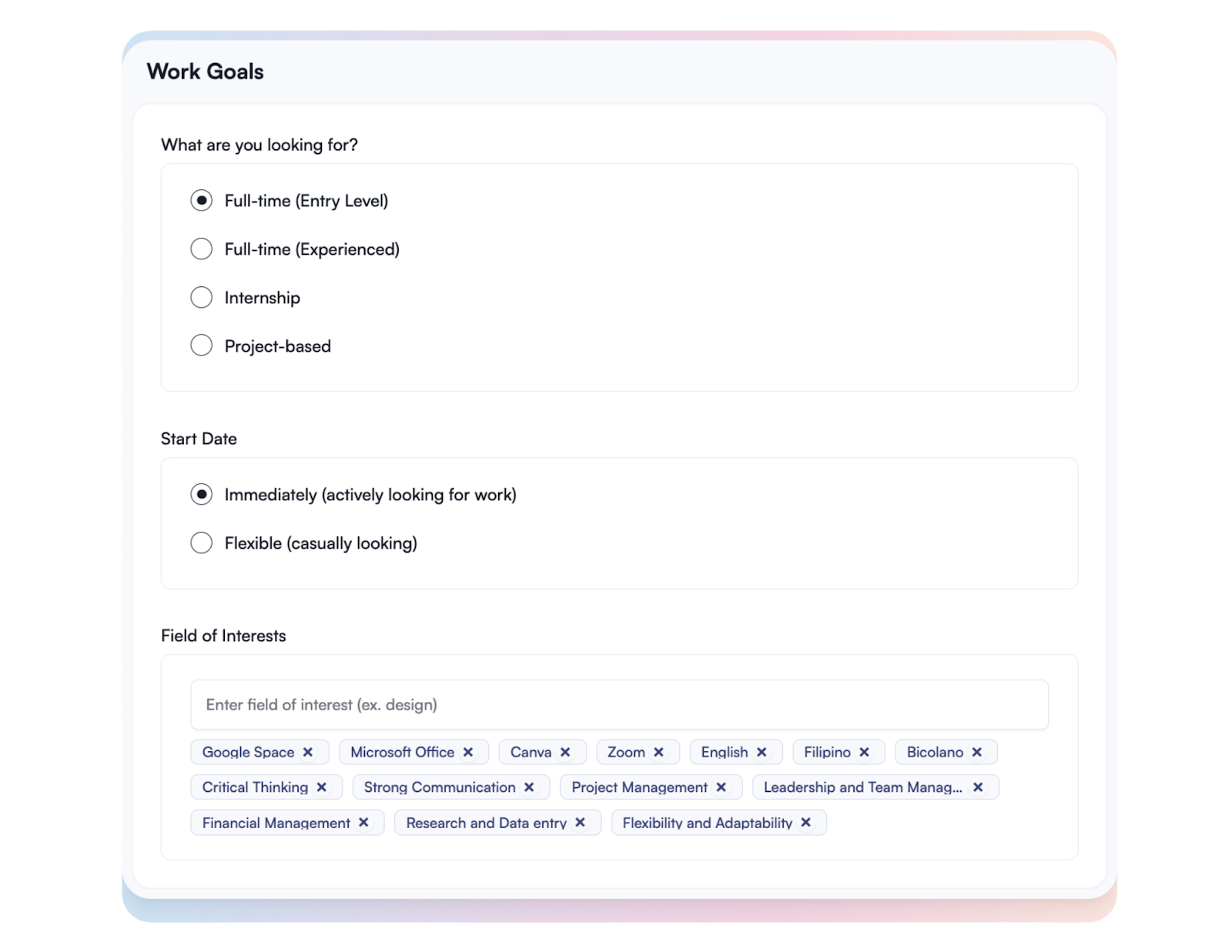
  • Set Your Work Goals: Specify your preferred work setup, industry, or role types. talent-vault-03.png
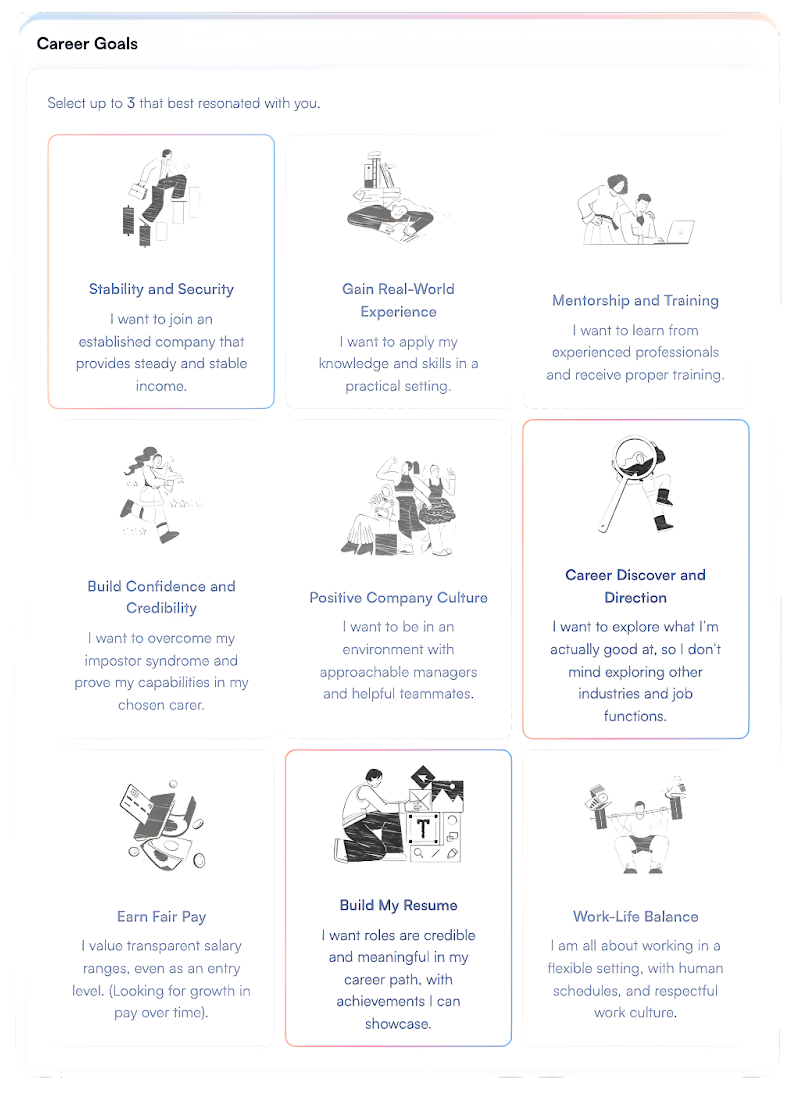
  • Select at least Three career Goals to help Jia refine your job matches. talent-vault-04.png
  • Click Continue to move to the next step.

Complete Screening & AI Interview

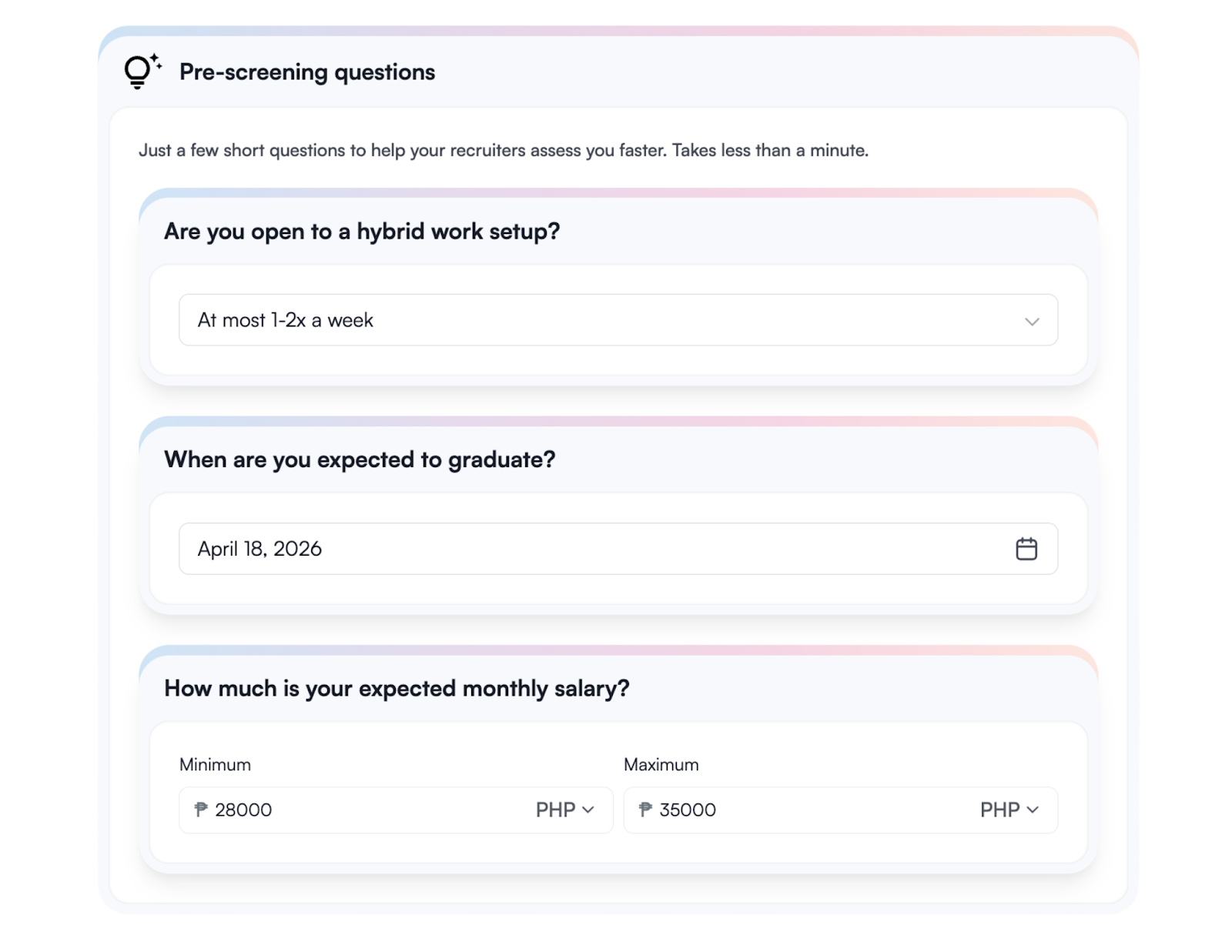
  • Answer the Pre-screening questions to provide deeper insight into your qualifications and expectations. talent-vault-05.png
  • After the questions, you will be prompted to begin your AI Interview. This is a short, conversational session to help Jia better understand your strengths.

[[callout]] Pro-Tip You can retake the AI Interview multiple times. After each attempt, Jia will provide personalized points for improvement to help you better market your skills to potential employers. [[/callout]
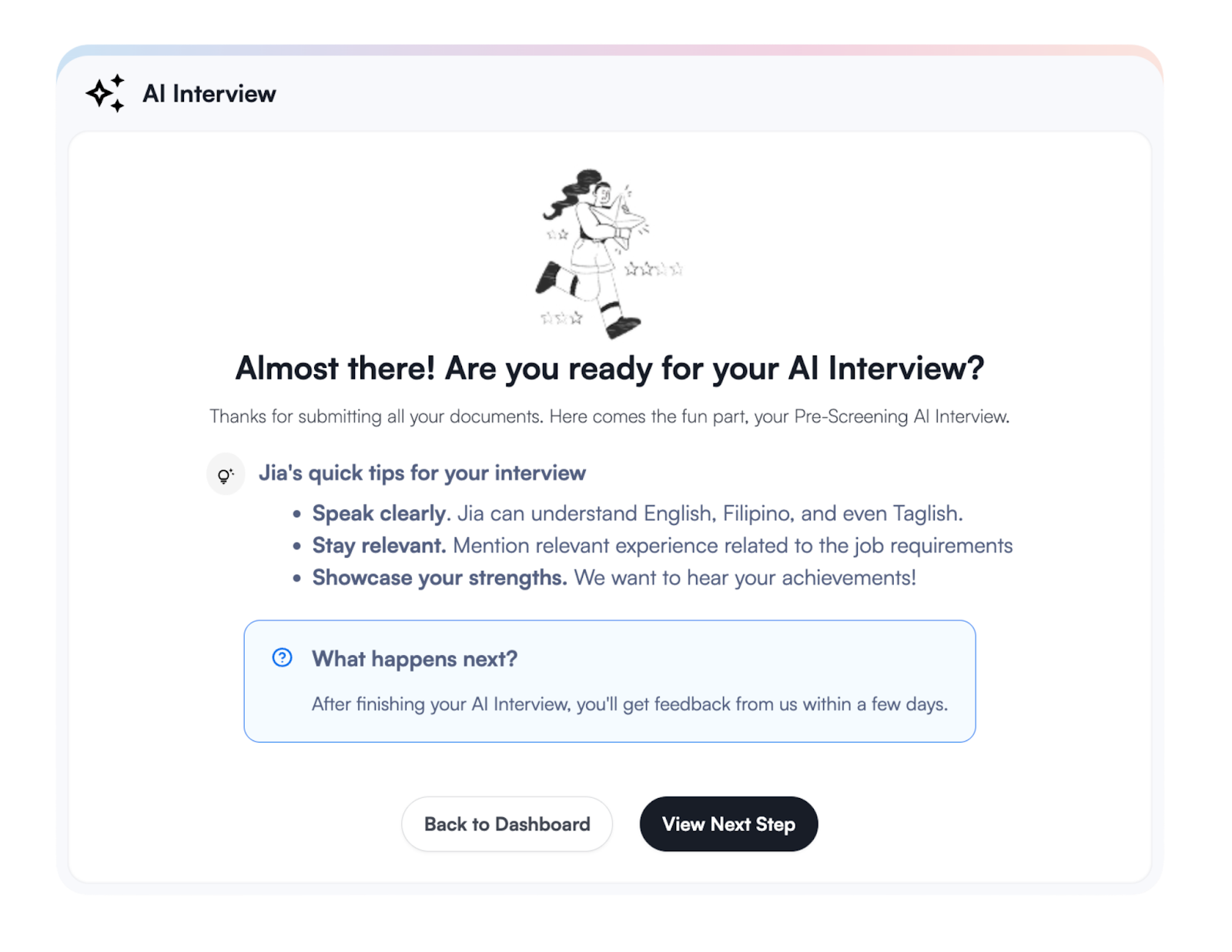
talent-vault-06.png

  • Once you are satisfied with your interview performance, you’ve completed your Talent Vault setup.

Track Your Progress

You can view your status, update your preferences, and monitor job matches anytime within the Talent Vault module of the Jia Job Portal.
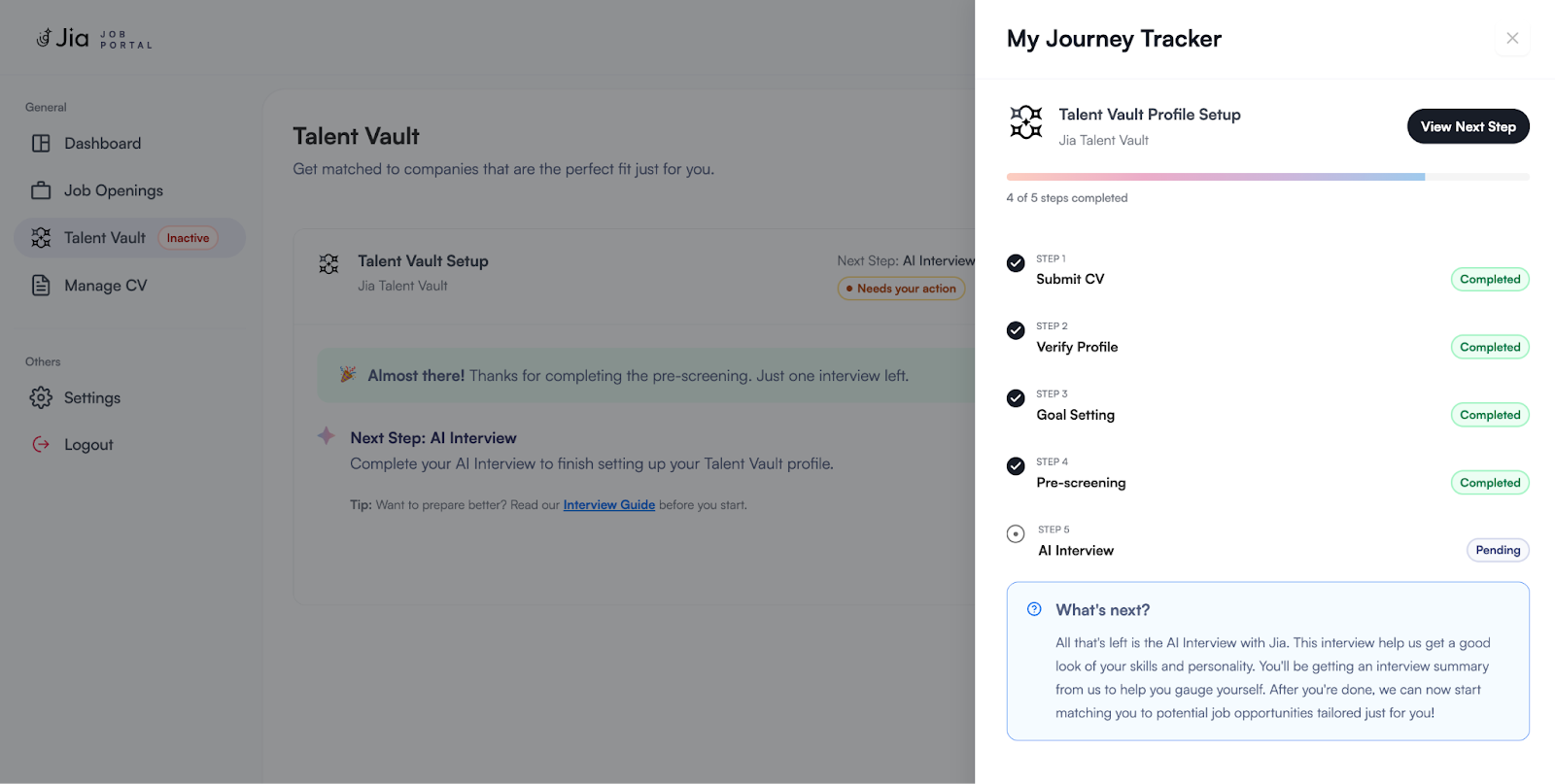
talent-vault-07.png

Was this article helpful?
Loading feedback…