

San Antonio, Ortigas Center, Pasig, 1605 Metro Manila


Development Team: hello@whitecloak.com© Copyright 2026. All rights reserved.
Streamline your communication by creating reusable email templates for frequent candidate interactions.
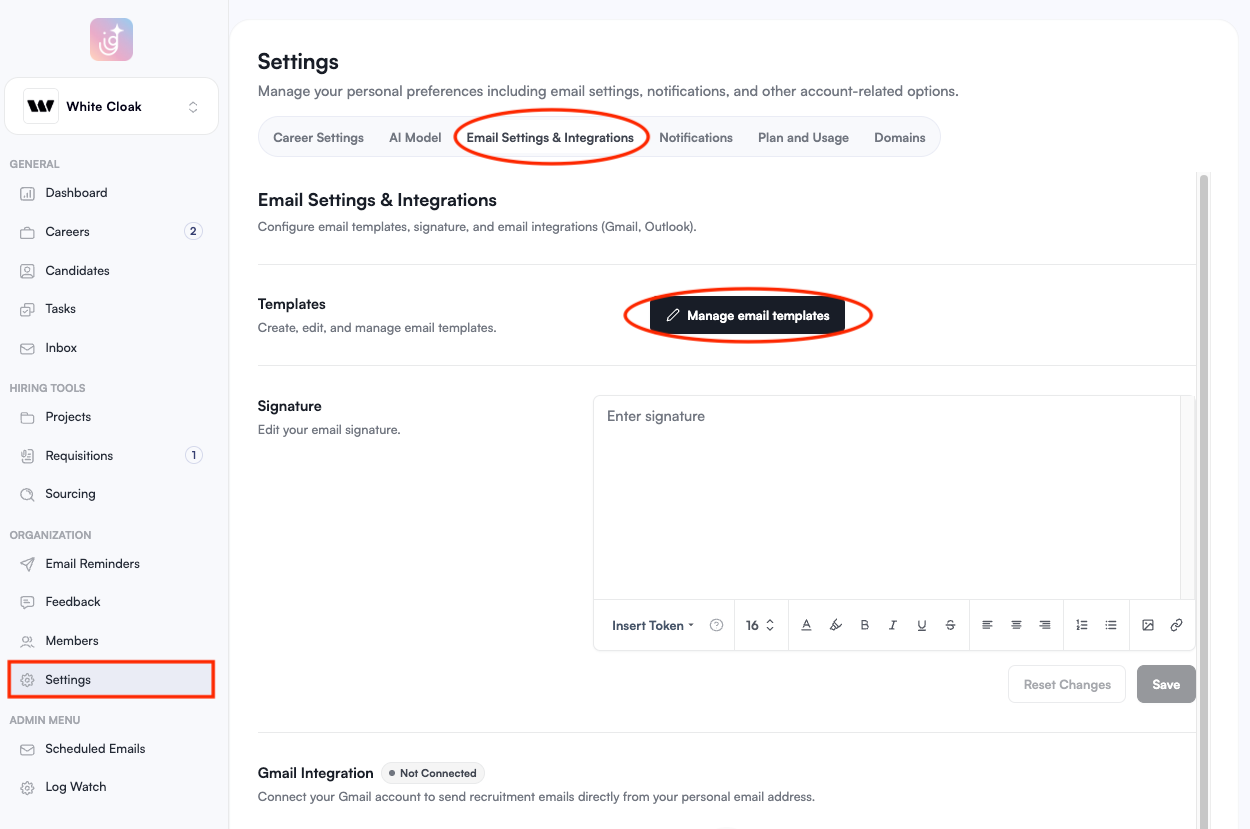
To create an email template, go to the Settings module and under the Email Settings & Integrations tab, click Manage email Templates.
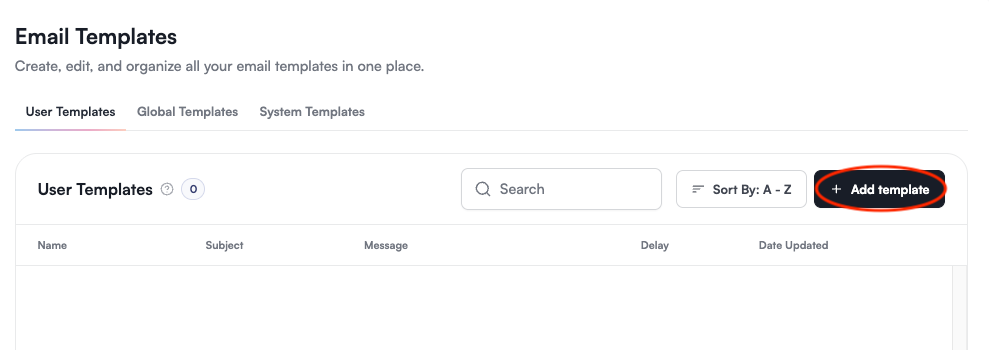
Choose the type of email template that you’d like to create.
Once you have selected the template type, click Add Template in the upper-right corner.
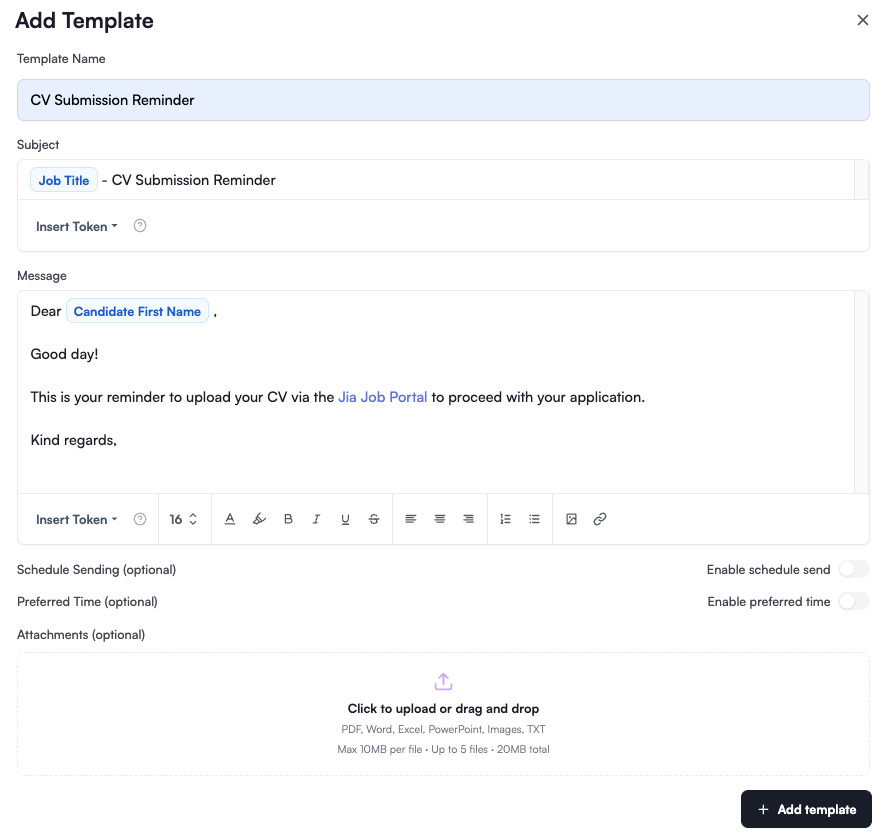
Input the template name, subject line, and the body of your message.
Click Insert Token to add dynamic fields (like Candidate Name or Job Title). This ensures each email feels personal while using a standardized format.
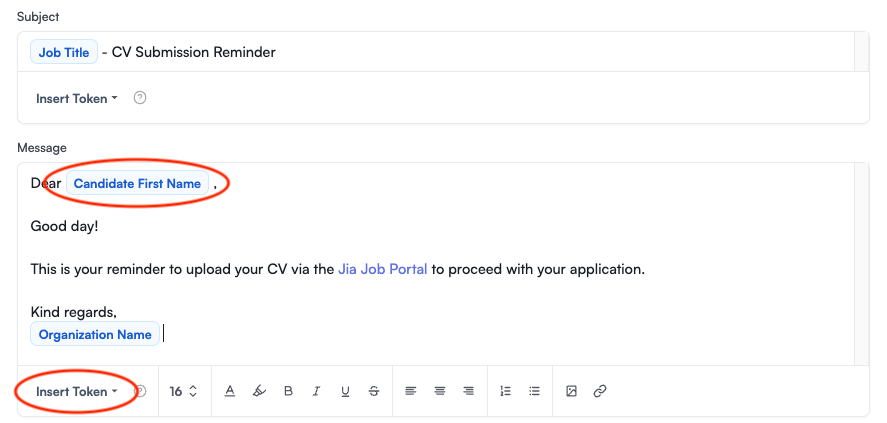
Review your content for accuracy.
Click Add Template at the bottom-right of the page to save it to your library.
Use Global Templates for standard email reminders to maintain a consistent brand voice across your entire hiring team!


