Help
Center
Contact Support
For Job Hunters
Log in
Book a Demo
Documentation
Miscellaneous
Notifications
View all topics
Notifications
Last updated: 04 Apr 2026
Miscellaneous
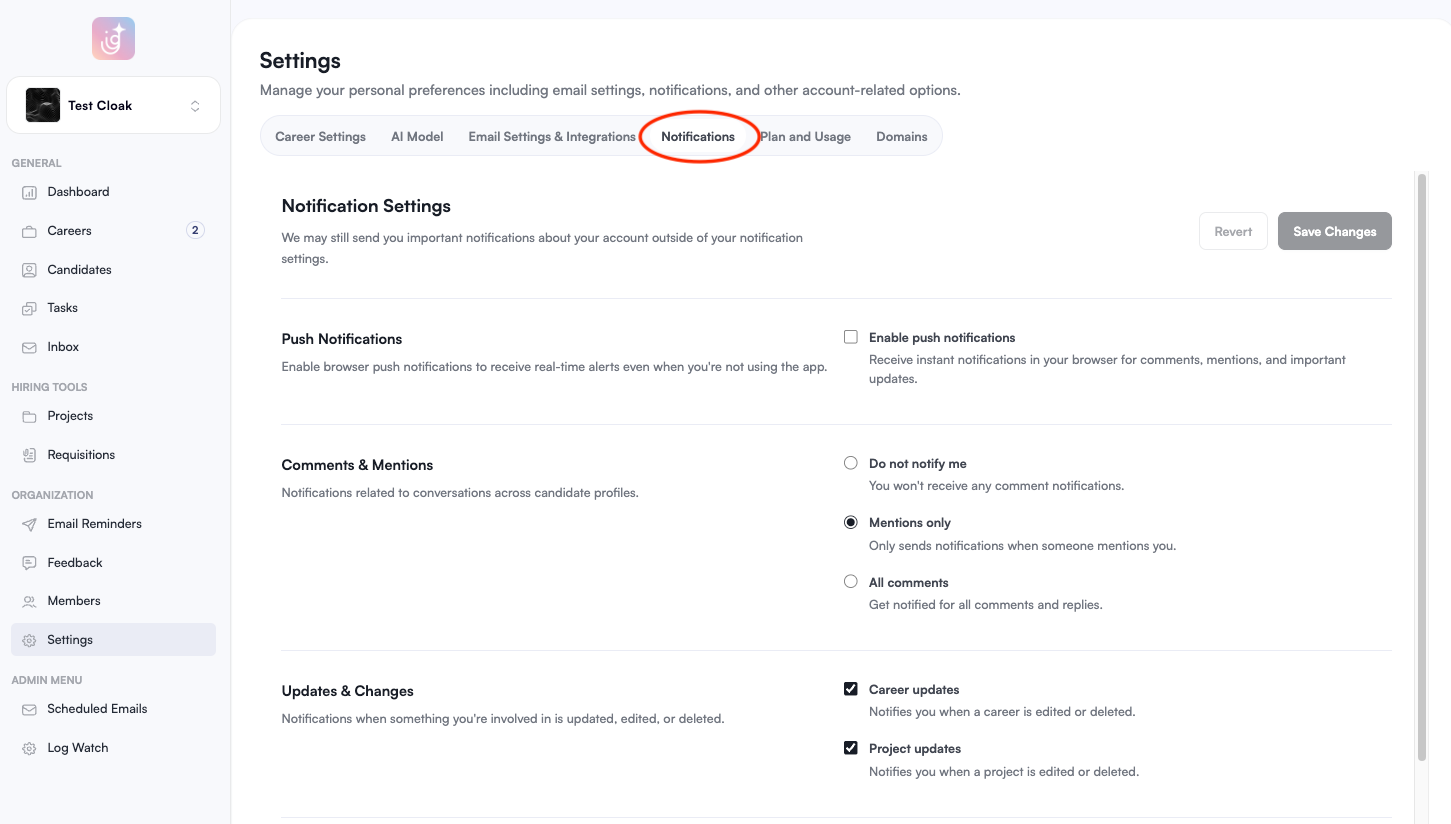
Access Notification Settings
Navigate to
Settings
in the sidebar, and select the
Notifications
tab from the top menu.
Configure Push Notifications
Check the
Enable push notifications
box to receive instant alerts for comments, mentions, and important system updates.
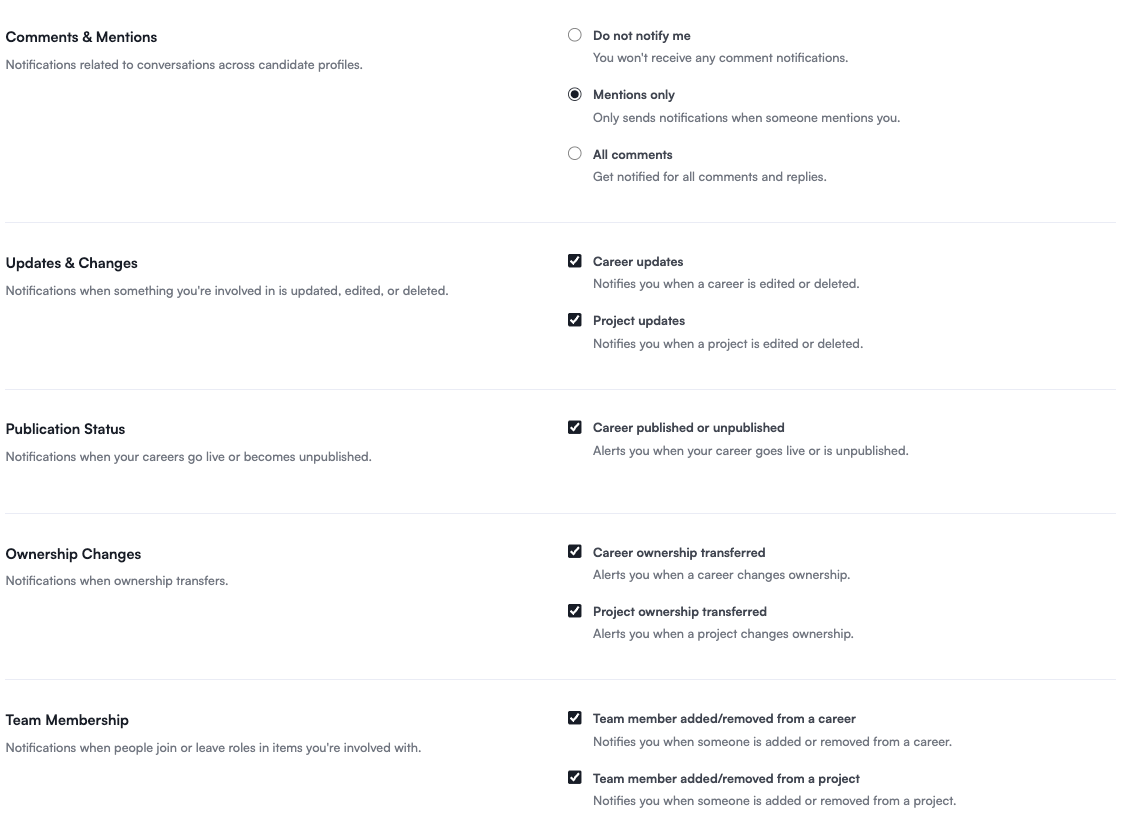
Customize Activity Alerts
Tailor your experience by toggling the following notification categories:
Comments & Mentions:
Choose to receive alerts for
All comments
,
Mentions only
, or select
Do not notify me
to silence conversation alerts.
Updates & Changes:
Receive alerts whenever a Career or Project you are involved in is edited or deleted.
Publication Status:
Get notified the moment your careers go live or become unpublished.
Ownership Changes:
Stay informed if a career or project is transferred to a different owner.
Team Membership:
Receive updates when a team member is added to or removed from a career or project you are part of.
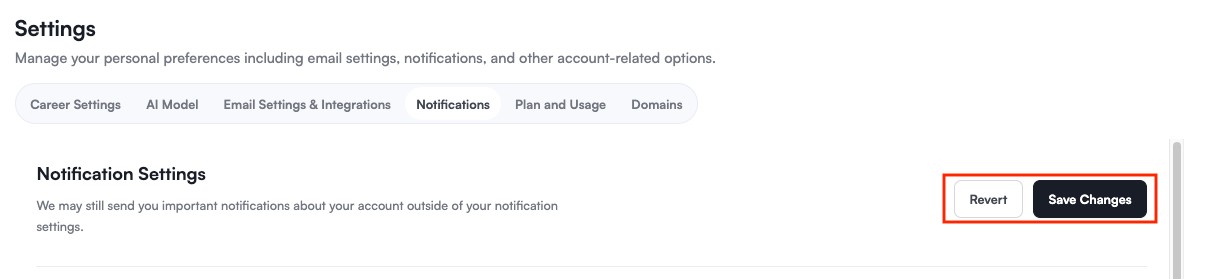
If you want to undo your recent changes before saving, choose
Revert
. Click
Save Changes
to apply your new notification preferences.
View Your Notifications
To see your recent activity at any time, click the
Bell icon
in the upper-right corner of your profile header.
Was this article helpful?
Yes
No
Loading feedback…