San Antonio, Ortigas Center, Pasig, 1605 Metro Manila


Development Team: hello@whitecloak.com© Copyright 2026. All rights reserved.
Establishing default questions ensures you consistently collect key details—like notice periods and salary expectations—from every applicant.
Go to Settings in the sidebar and select the Career Settings tab.
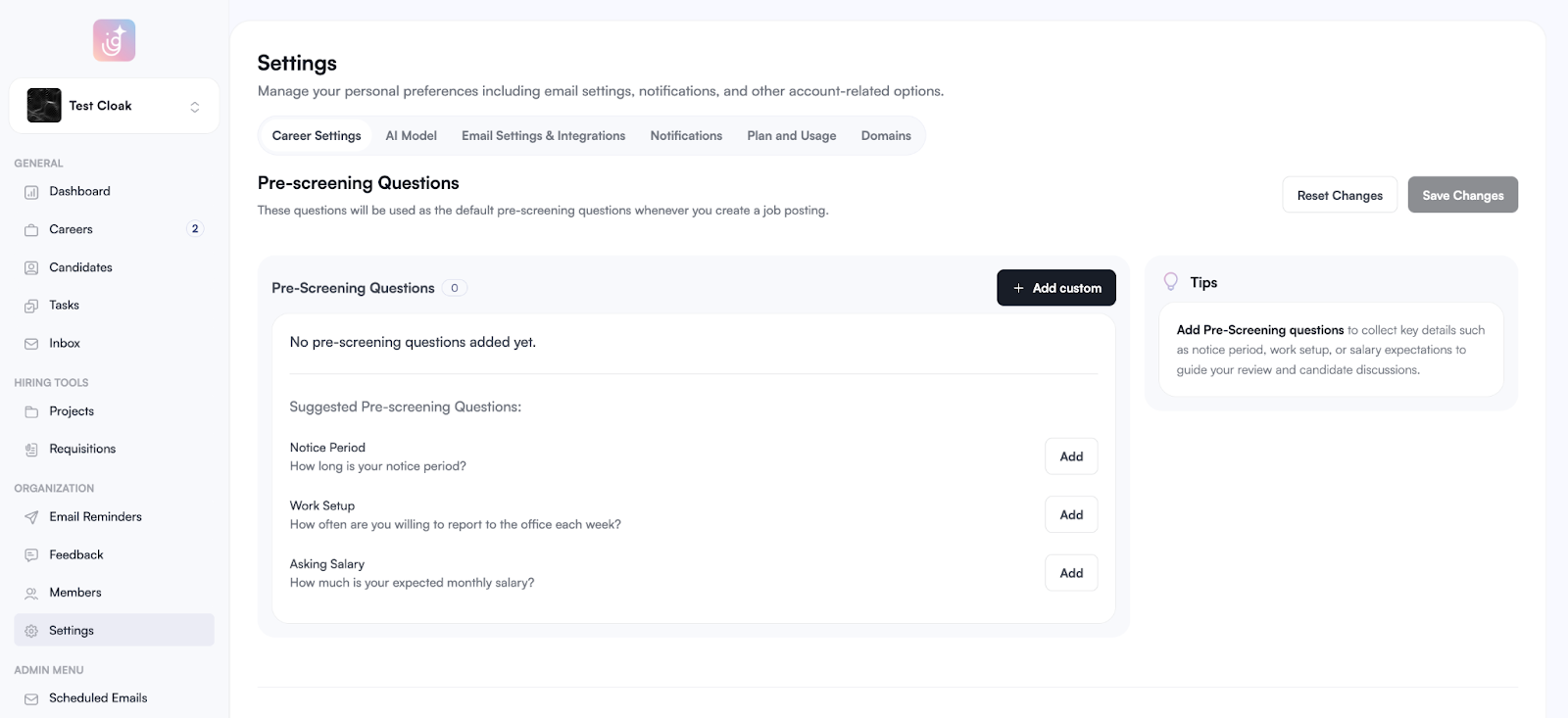
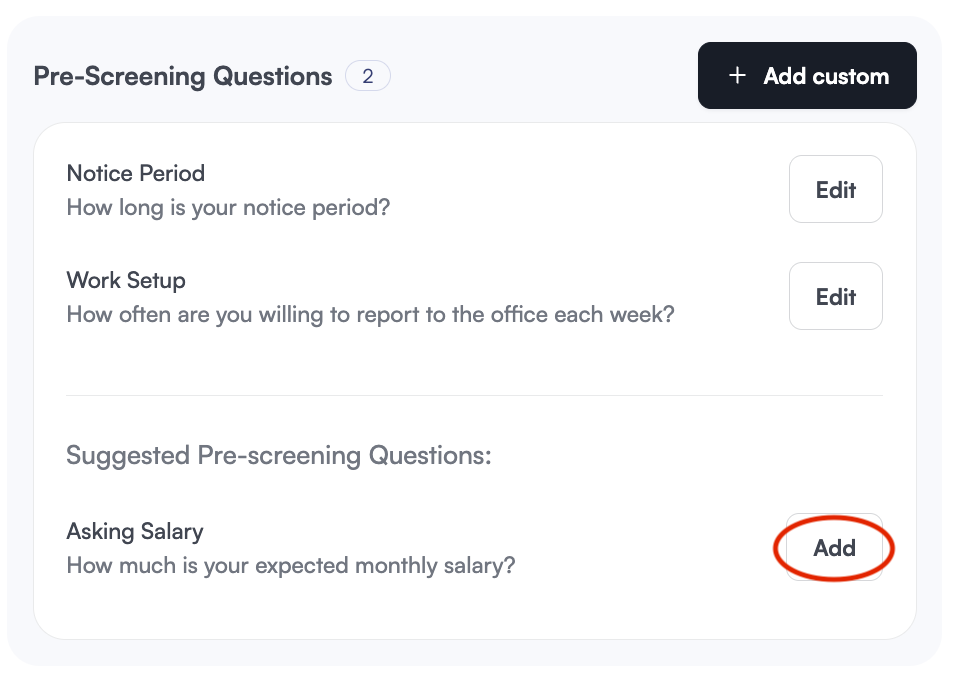
Add Suggested Questions: Click Add next to default prompts like Notice Period, Work Setup, or Asking Salary. Click Edit to revise.
Create Custom Questions: Click the + Add custom button to draft your own specific screening requirements.
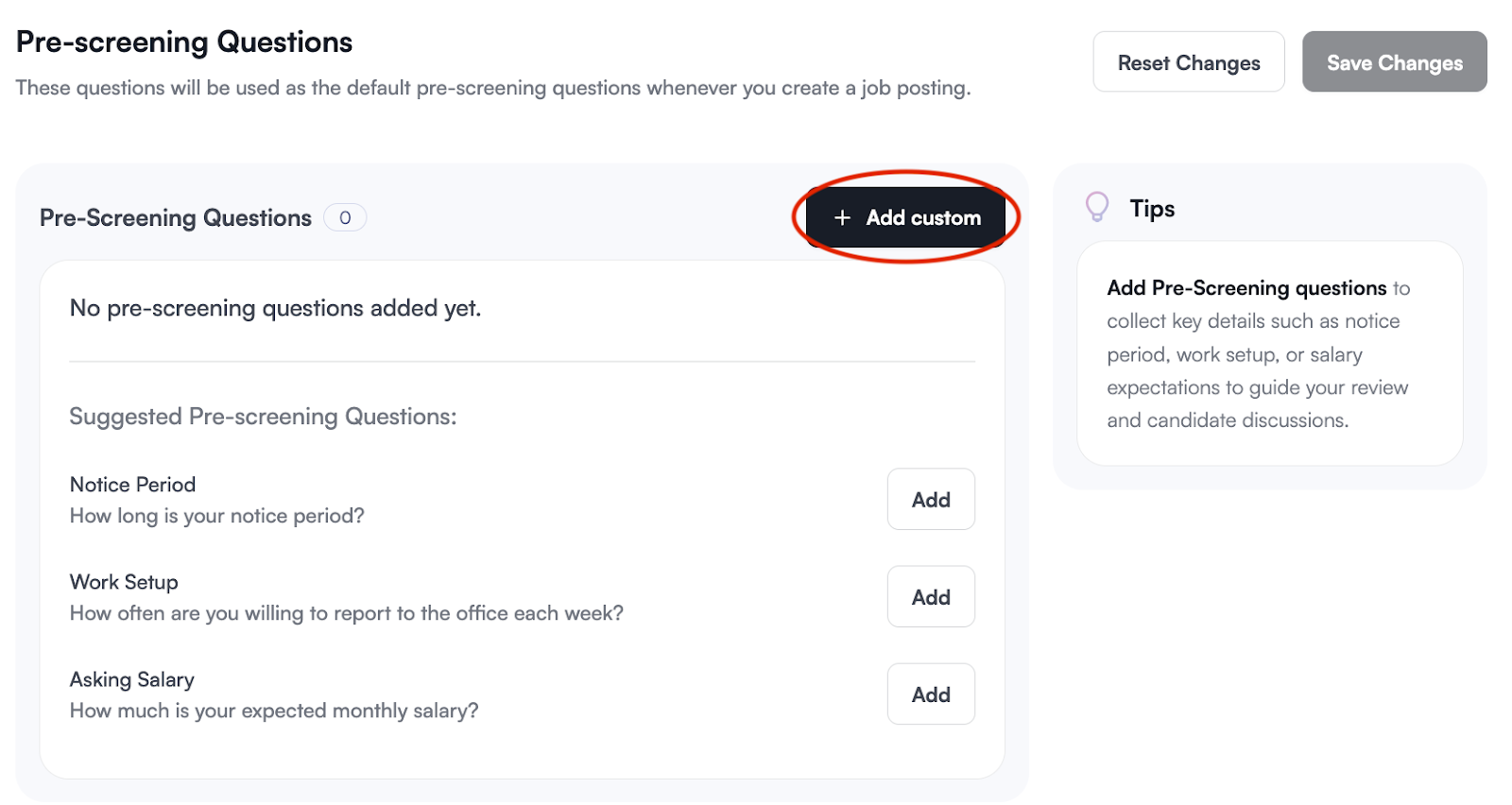
Click Save Changes to apply these defaults to all new job postings.
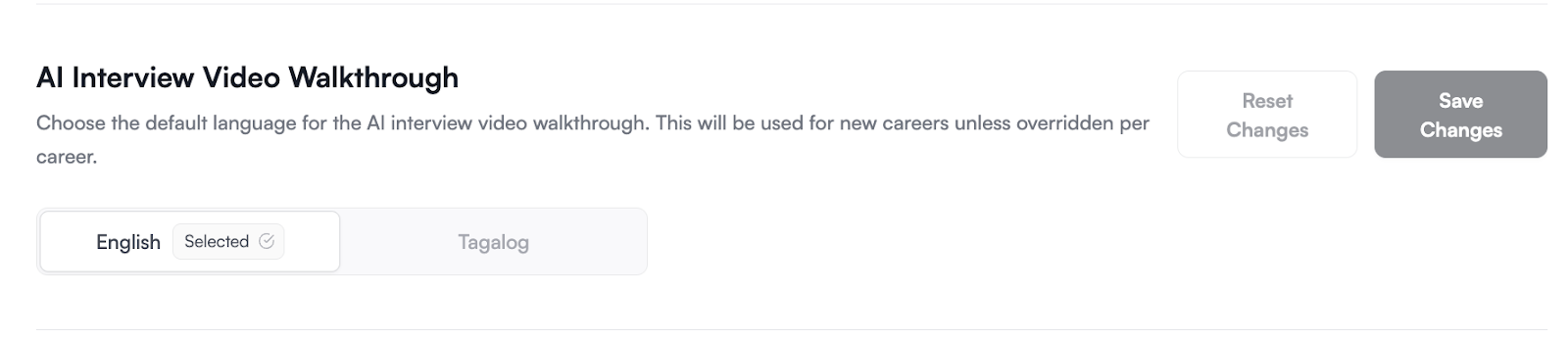
Choose the default language candidates will hear during their AI interview orientation.
This setting applies to all new careers unless specifically overridden within an individual job post.
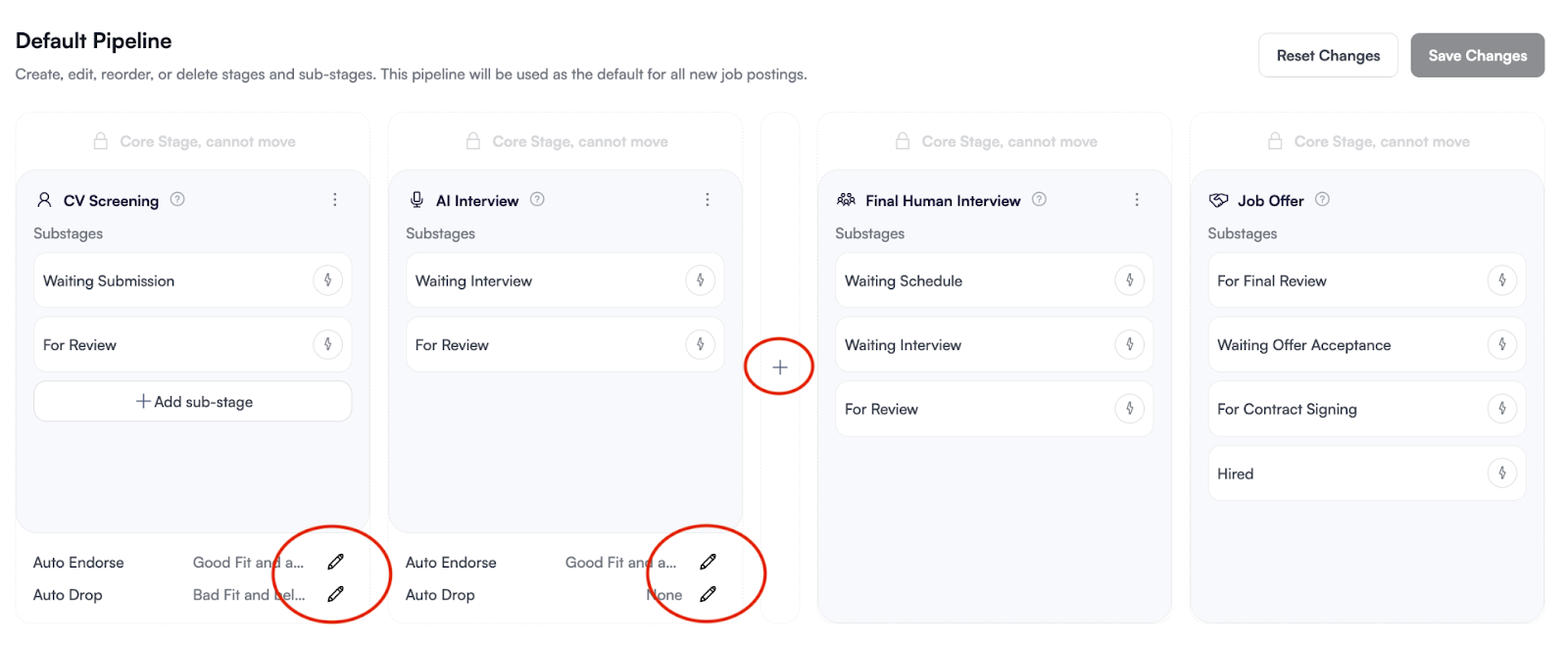
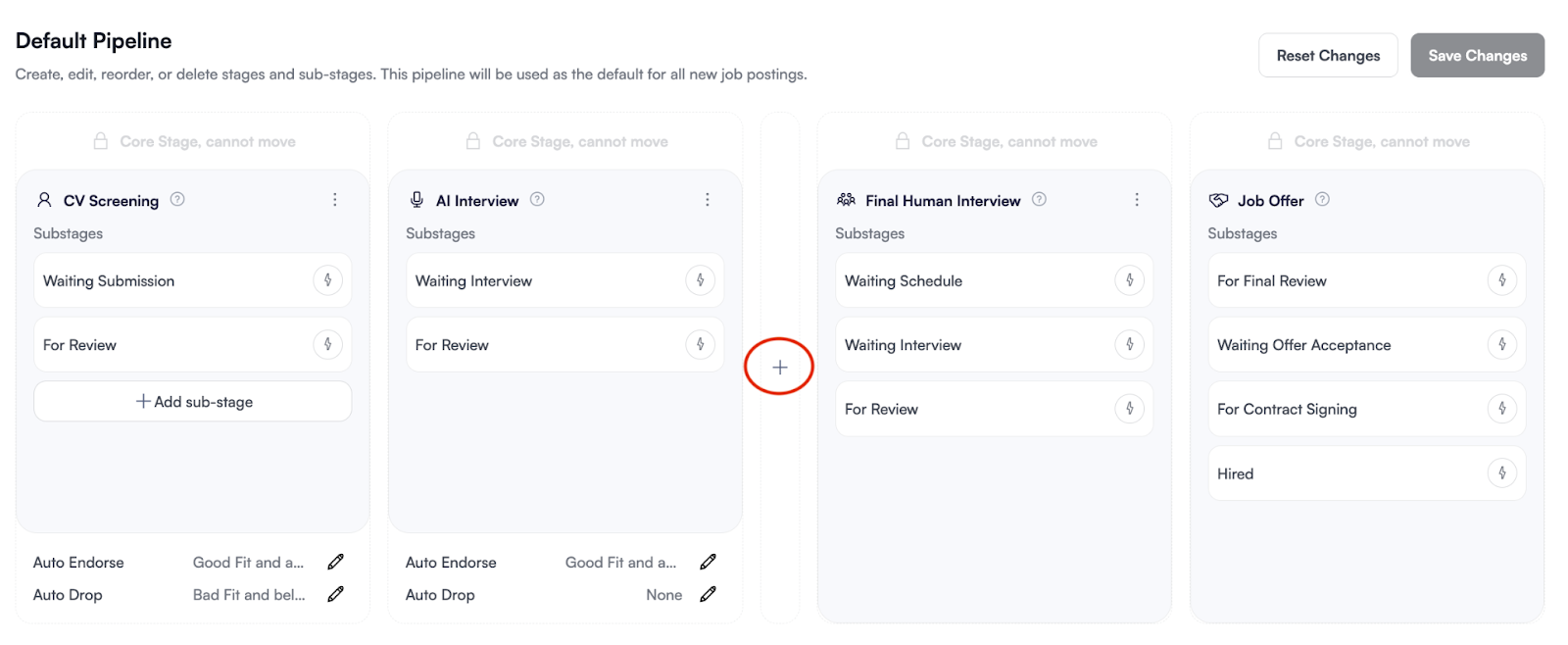
The Default Pipeline serves as the blueprint for all new job postings. Setting this up ensures consistency across your recruitment process while saving time during job creation.
Add a New Stage: Click the (+) plus button between existing stages to insert a new step in your hiring sequence.
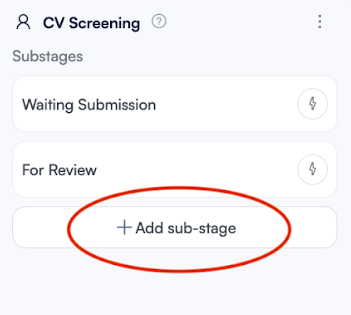
Manage Sub-stages: Click + Add sub-stage to break down the process into smaller, trackable tasks (e.g., "For Review," "Waiting for Schedule").
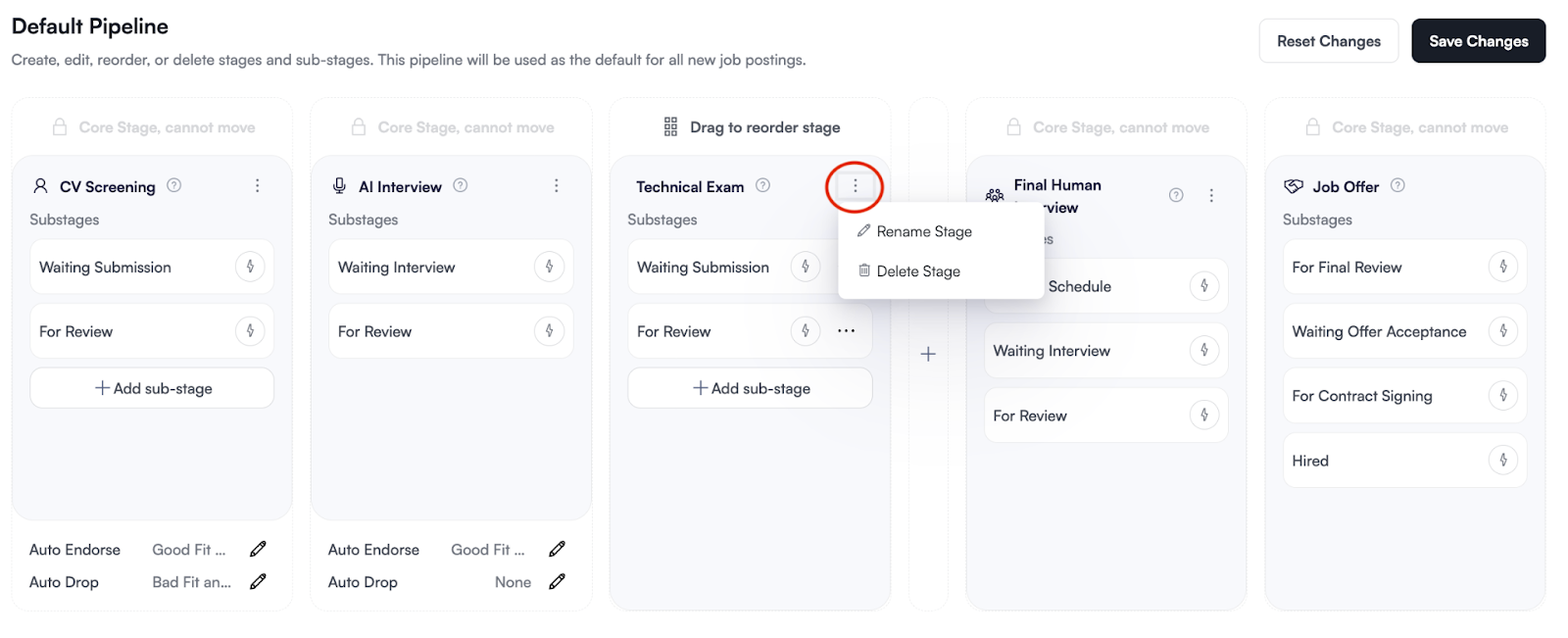
Edit, Delete, or Disable Stages: Click the three-dot menu (⋮) on a Core Stage header to rename it or toggle its visibility. Note that some Core Stages are locked and cannot be moved to maintain system integrity.
Define how candidates should be handled automatically based on their evaluation scores.