

San Antonio, Ortigas Center, Pasig, 1605 Metro Manila


Development Team: hello@whitecloak.com© Copyright 2026. All rights reserved.
Maintain control over your workspace by updating team permissions or removing access as your team evolves.
Locate the team member you wish to update within the Members list.
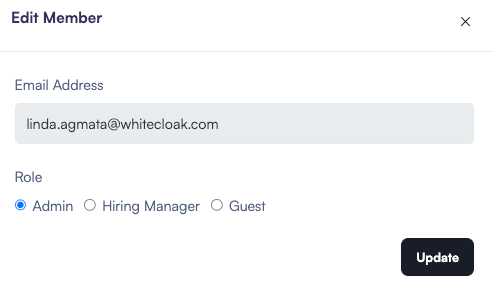
To edit a member’s role, click the pencil icon (✎).

Select the new role from the dropdown menu (e.g., changing an Admin to a Hiring Manager). Click Update to save the changes.
To revoke a member’s access to the organization, click the Trash icon (🗑).

You may be prompted to confirm this action. Once removed, the user will no longer be able to log in or view your organization's data.


