Jia Dashboard LogoJia Name Logo
Help
Center
Contact Support
Jia Dashboard LogoJia Name Logo
Powered by White Cloak Technologies, Inc.20th Floor, F. Ortigas Jr Strata 2000 Building
San Antonio, Ortigas Center, Pasig, 1605 Metro Manila
LinkedInFacebookTikTok
Sales Team: inquire@hellojia.ai
Development Team: hello@whitecloak.com
© Copyright 2026. All rights reserved.
HomeChevron RightDocumentationEmailChevron RightIntegration
Getting started
  • Customize your Dashboard
Careers
  • Create your first career
  • Create a linked career
  • Update career status
  • Customize career settings
Application Timeline
  • Endorse a candidate
  • Drop a candidate
  • Reconsider a candidate
Candidates
  • Import a candidate
  • Quick Search
  • AI Search
  • Advanced Filters
  • View a candidate profile
  • Add a comment
  • Invite to a job
Organization
  • Invite new members
  • Roles
Job Portal
  • Apply to a job
  • AI Interview
  • Manage CV
Subscription, Billing, and Support
  • Subscription Plans
Projects
  • Create a project
  • Link a career
Requisition
  • Create a requisition
  • Requisition Approval
Talent Vault
  • Set-up Talent Vault
Email
  • Inbox
  • Templates
  • Automations
  • Reminders
  • Bulk Email
  • Integration
  • Custom Domain
Miscellaneous
  • Notifications
  • Feedback
IntegrationLast updated: 04 Apr 2026
Email

Sync your professional email with the platform to streamline communication and keep all candidate interactions in one place.
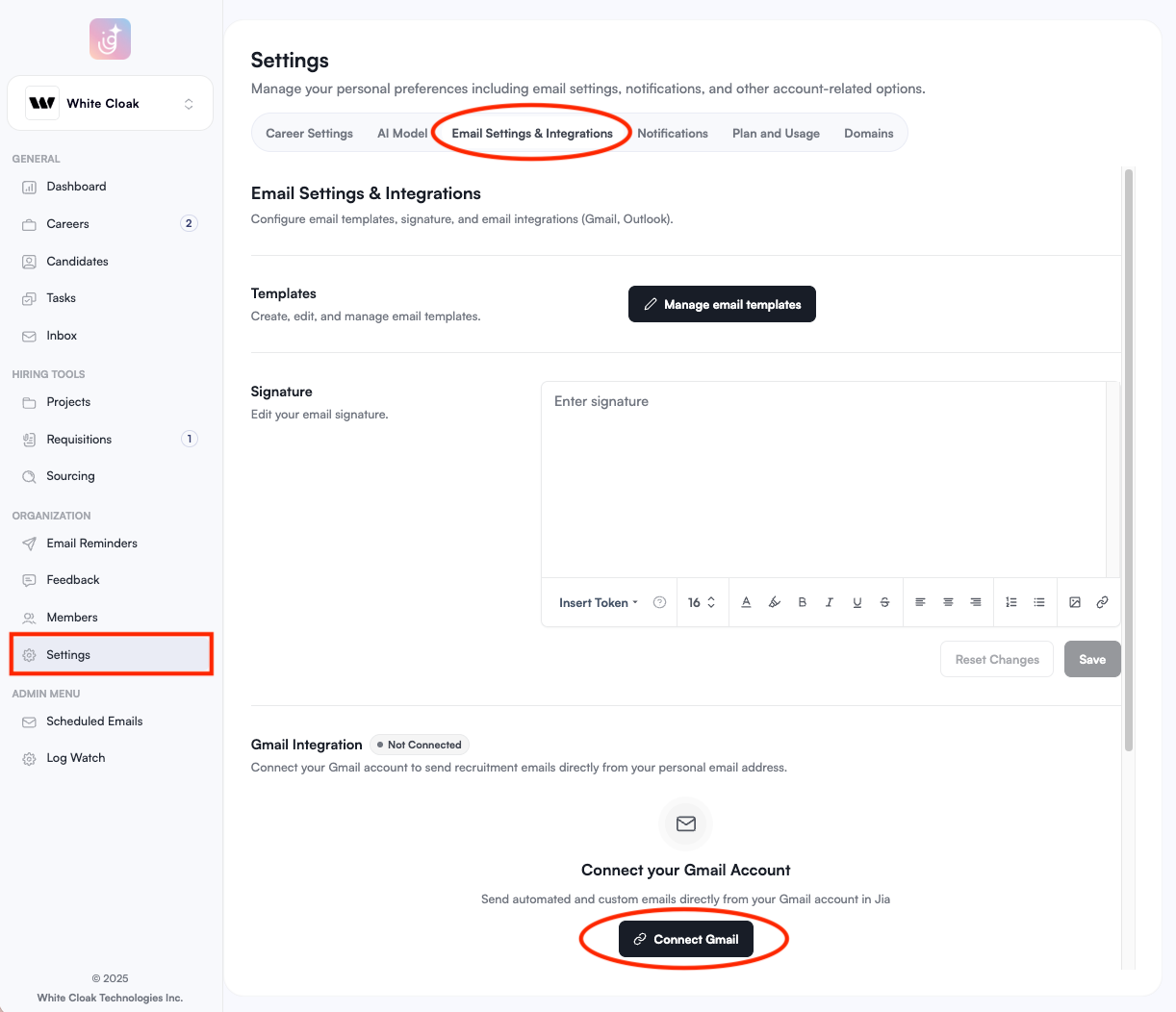
  • Navigate to the Settings module in the sidebar.
  • Select the Email Settings & Integrations tab.
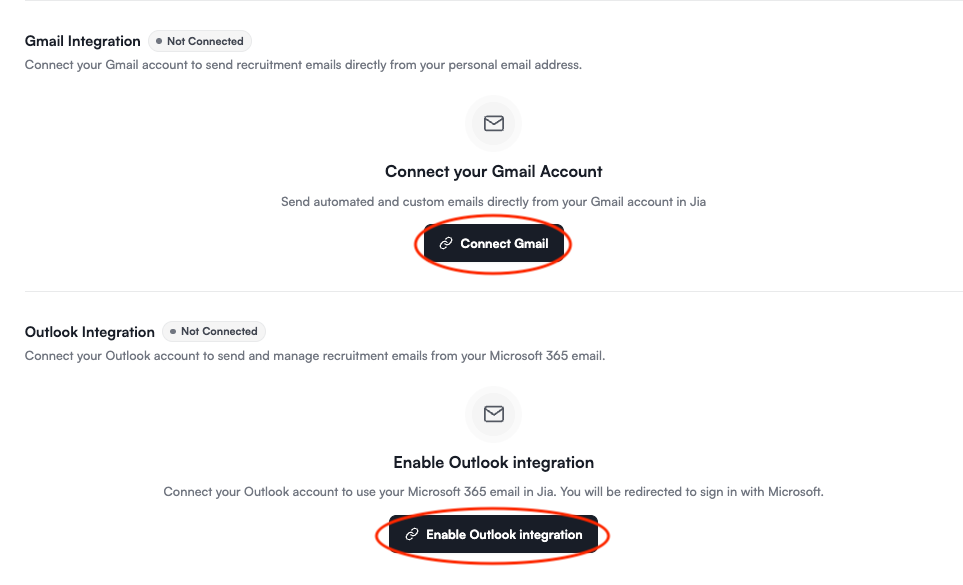
  • Scroll down to the integration section and select either Connect Gmail or Enable Outlook Integration.
  • Follow the on-screen prompts to authorize the connection. email-integration-01.png email-integration-02.png

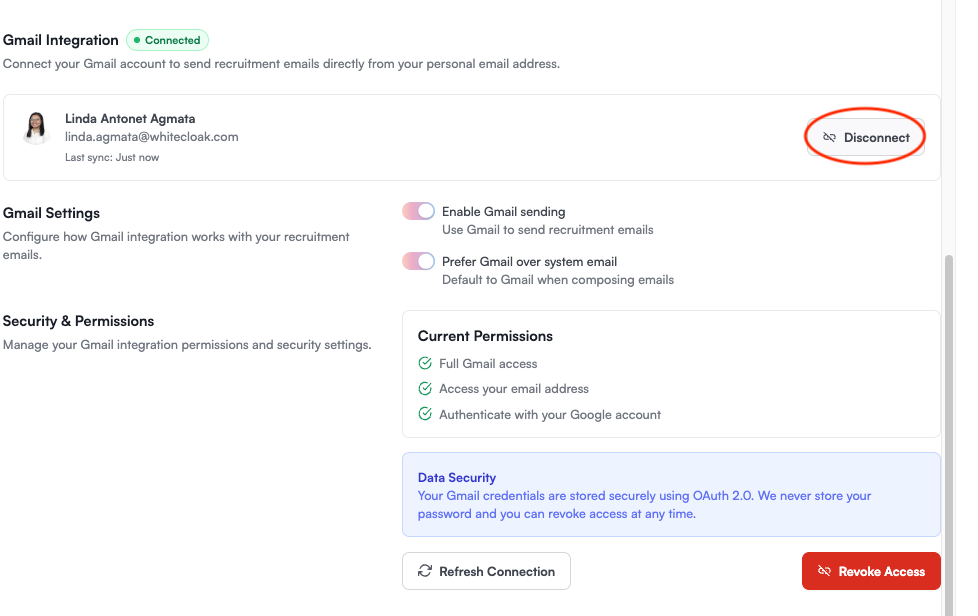
To disconnect Email Account

  • Disconnect: Click this to stop syncing your email temporarily. Your data will remain stored, but new emails will not be tracked.
  • Revoke Access: Click this to completely remove the integration. This action will delete your email from the platform. email-integration-03.png
Note

Once integrated, all sent and received emails related to your candidates will automatically appear in your inbox and candidate Activity logs.

Was this article helpful?
Loading feedback…